GoTrace
Product
Visitor trackingReal-time analyticsJourney analyticsBehavior analyticsSession recordingTraffic analyticsTraffic sourcesReferrer trackingUTM trackingHeatmapsClick trackingScroll tracking
Privacy AI trafficFree toolsPricingBlog Log in Start free trial
Website analytics, read for you

Stop reading charts. Read the brief.

GoTrace watches your traffic, tests what actually changed, and tells you what to do next, in plain words. Every number in it is checked against your data before you see it.

Full access, no cardInstalls in one lineCookie-free mode
Monday brief yoursite.com

Traffic rose 28% yesterday. A ChatGPT answer is sending you buyers.

Sessions reached 1,2841, well above the 1,002 a typical Monday brings. Almost all of the lift came from chatgpt.com2, which sent 212 visitors to your getting-started guide. They converted at 6.1%3, more than twice your search traffic.

+28% vs expected
SessionsExpected for that weekdayLast 14 days
Recommended next step

Add a product link and an email signup to the getting-started guide. It is now your best-converting entry page from AI answers.

1sessions 1,284 vs expected 1,002 (8 previous Mondays) · z = 4.2
2chatgpt.com 212 sessions, +198 vs baseline · landing /guides/getting-started
313 of 212 sessions converted = 6.1% · organic search 2.4%
~4 KBtracking script, gzipped. Loads after your page, never blocks it.
0form values, passwords or typed text collected. Not in any mode.
21AI crawlers and assistants recognised, from GPTBot to ClaudeBot.
30 daysof every feature, free. Then pick a plan or walk away.
Inside your account

This is what your data will look like.

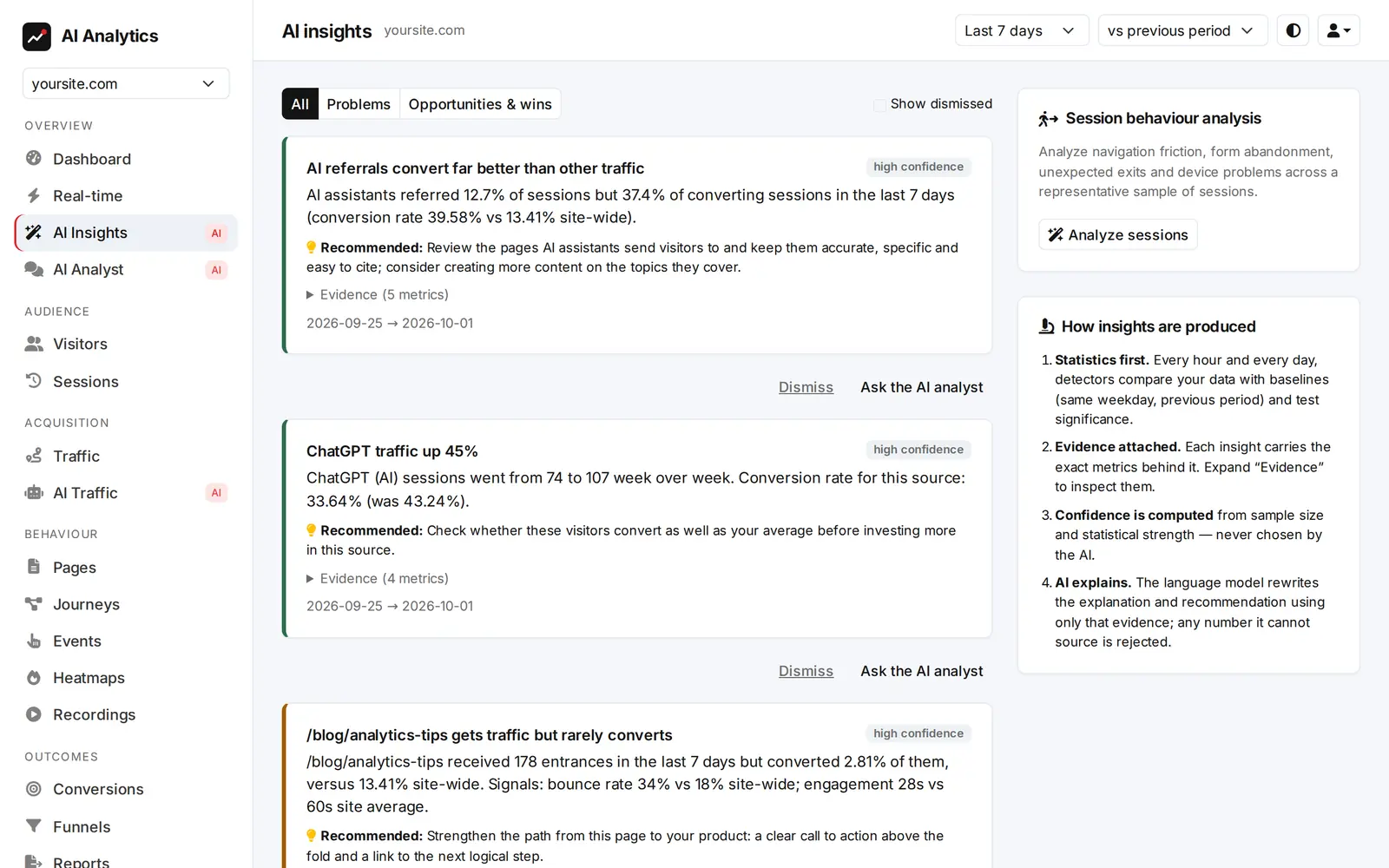
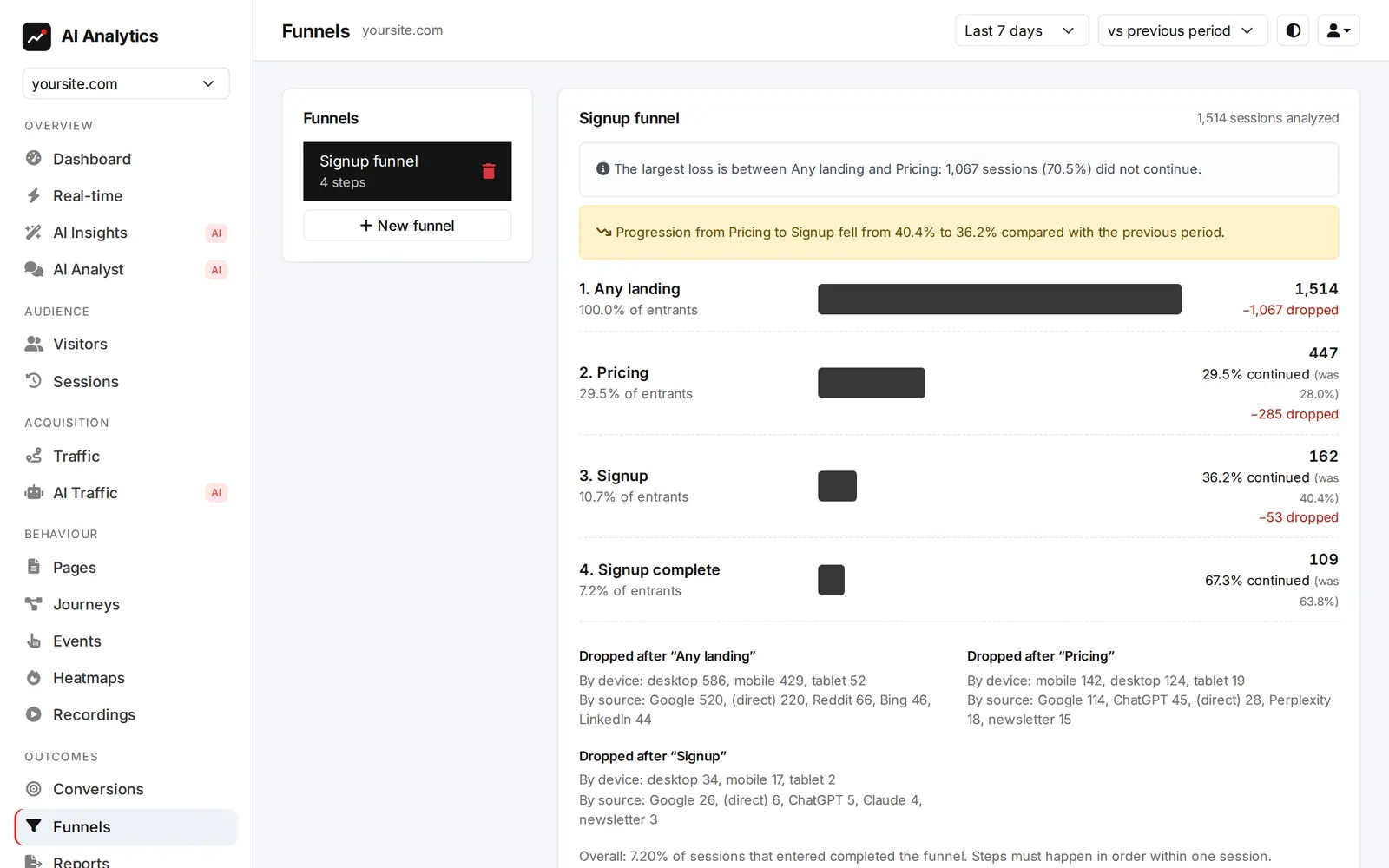
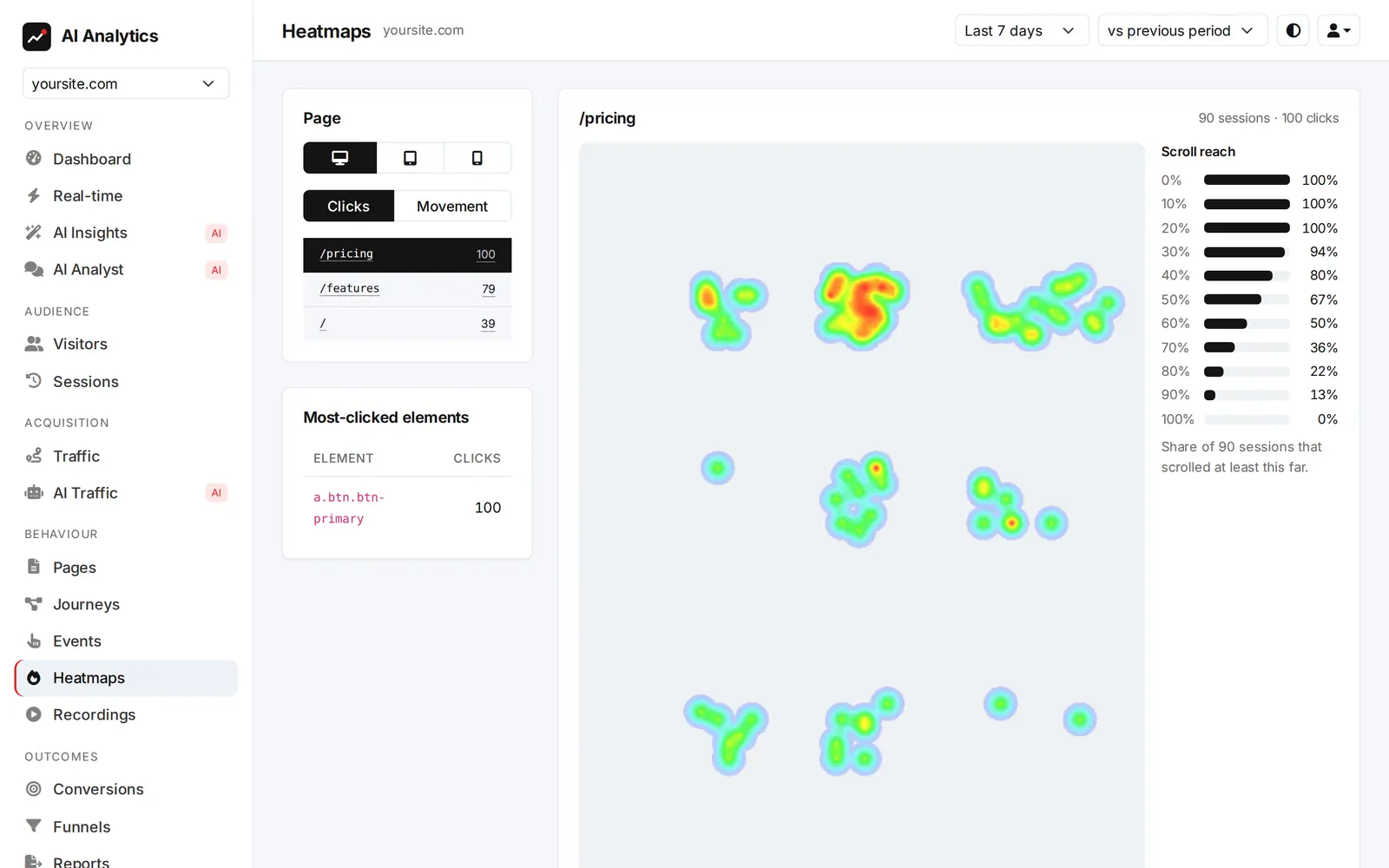
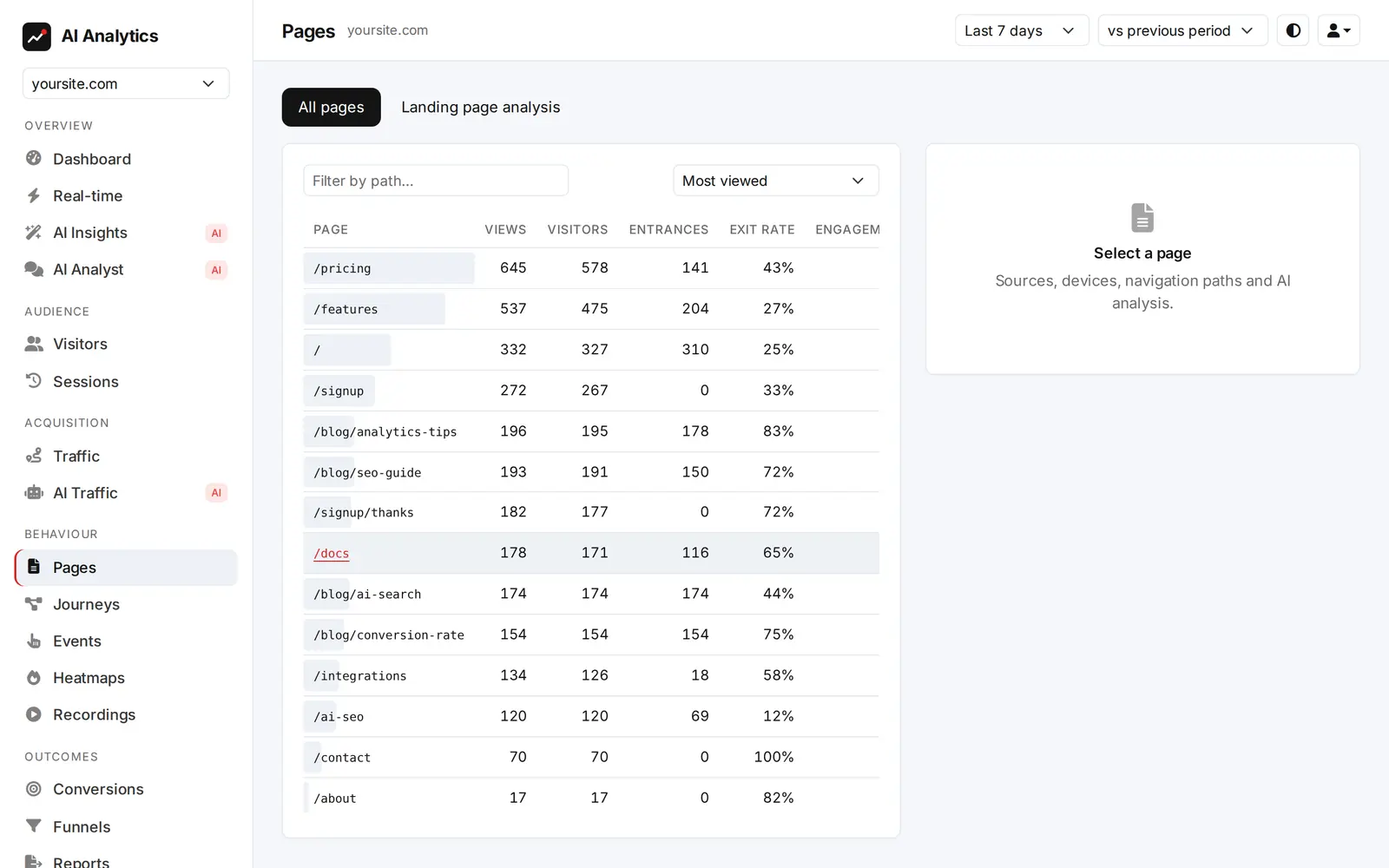
Real screens from the dashboard, filled with an example site's data. Every number, summary and insight is calculated from the traffic your own site sends.

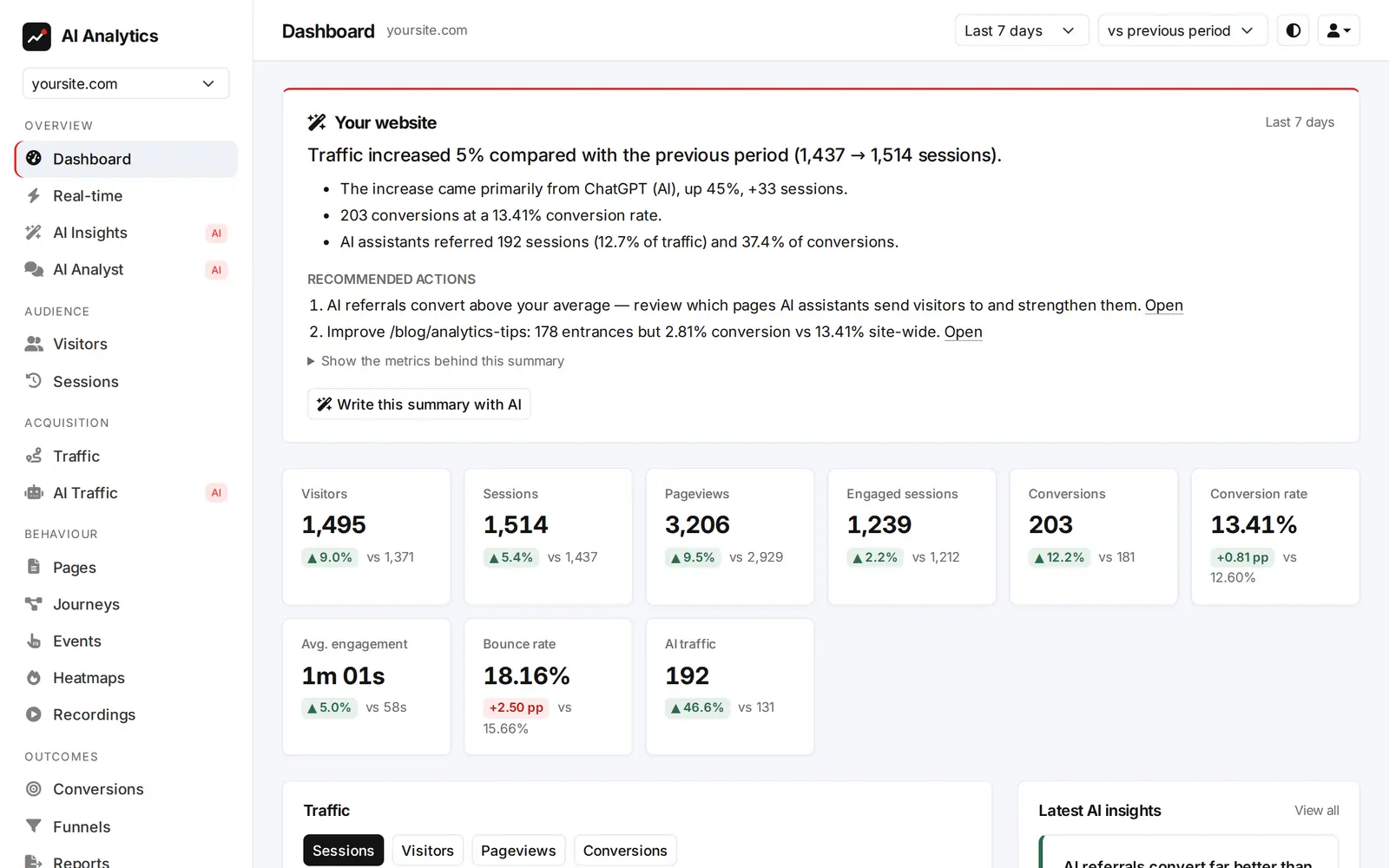
Dashboard screen of an example account for yoursite.com
Your website, in one paragraph. The dashboard opens on a plain-language summary of the period with recommended actions, followed by the headline numbers and how they changed.
§ 01 The problem

Most analytics stops at the chart. We keep going.

A dashboard tells you that something moved. It doesn't tell you why, whether it matters, or what to do about it. That part has always been your homework. Now it's ours.

What every tool doesWhat GoTrace adds
01

Visitor

Someone lands on your site.

02

Data

Pageviews, sources, events and goals are recorded.

03

Statistics

Each metric is tested against its own weekday baseline.

04

Interpretation

Significant changes are explained in plain words.

05

Recommendation

One concrete next step, tied to the evidence.

06

Action

You fix the page, not the spreadsheet.

§ 02 Method

How a brief gets written.

Statistics come first. The language model comes last, and it's only allowed to put verified findings into words.

01

Measure

One script tag records pageviews, sources, engagement and the events that matter, without touching what visitors type.

  • Single-page apps, downloads, outbound links, forms and video, tracked automatically
  • Goals and revenue from one line of JavaScript or the API
  • Bots and AI crawlers filtered out and counted separately
02

Test

An insight engine compares every metric with what's normal for that day of the week, and only keeps changes that pass a significance test.

  • Traffic spikes and drops, conversion changes, broken devices or countries
  • New sources, landing pages that leak visitors, funnel bottlenecks
  • Tracking outages flagged within hours
03

Explain

The AI writes the finding up as a short brief with one recommended action. Then every number in its draft is checked against the evidence.

  • Any figure it can't trace back to the data is rejected
  • Text from your website is treated as data, never as instructions
  • The underlying metrics are one click away
§ 03 Grounding

The AI isn't allowed to invent a number.

Language models are good at writing and bad at arithmetic. So we never let them do the maths. They get the computed evidence, and anything they write that isn't in it is thrown away before it reaches you.

Evidence from the engine

metric      conversion_rate
segment     device = mobile
current     1.2%   (31 / 2,580)
baseline    2.9%   (8 weeks)
change      −59%
p-value     0.0004

Two drafts, checked

“Mobile conversion fell to 1.2%, down 59% on its usual rate.”

✓ Every number found in evidence

“Mobile revenue dropped by about $4,000 this week.”

✕ Rejected: $4,000 isn't in the data
AI analyst · yoursite.com
Why did checkout conversions drop last week?
kpis(7d)devices(7d)funnels(7d)insights
Conversions fell from 186 to 141 (−24%). The drop is almost entirely on mobile, where checkout completion went from 41% to 18% at the payment step. Desktop is unchanged. That points to a problem with the mobile payment form rather than with your traffic. Start by testing that step on a phone.
§ 04 AI analyst

Ask anything. Get the working too.

Ask in plain language. The analyst answers by running approved analytics queries on your site, and shows you which ones it ran.

Never SQL
It can only call a fixed catalogue of read-only queries. No raw database access.
Your site only
Every query is scoped to the website you're looking at. Nothing crosses accounts.
Same checks
Answers go through the same number check as the briefs.
§ 05 AI traffic

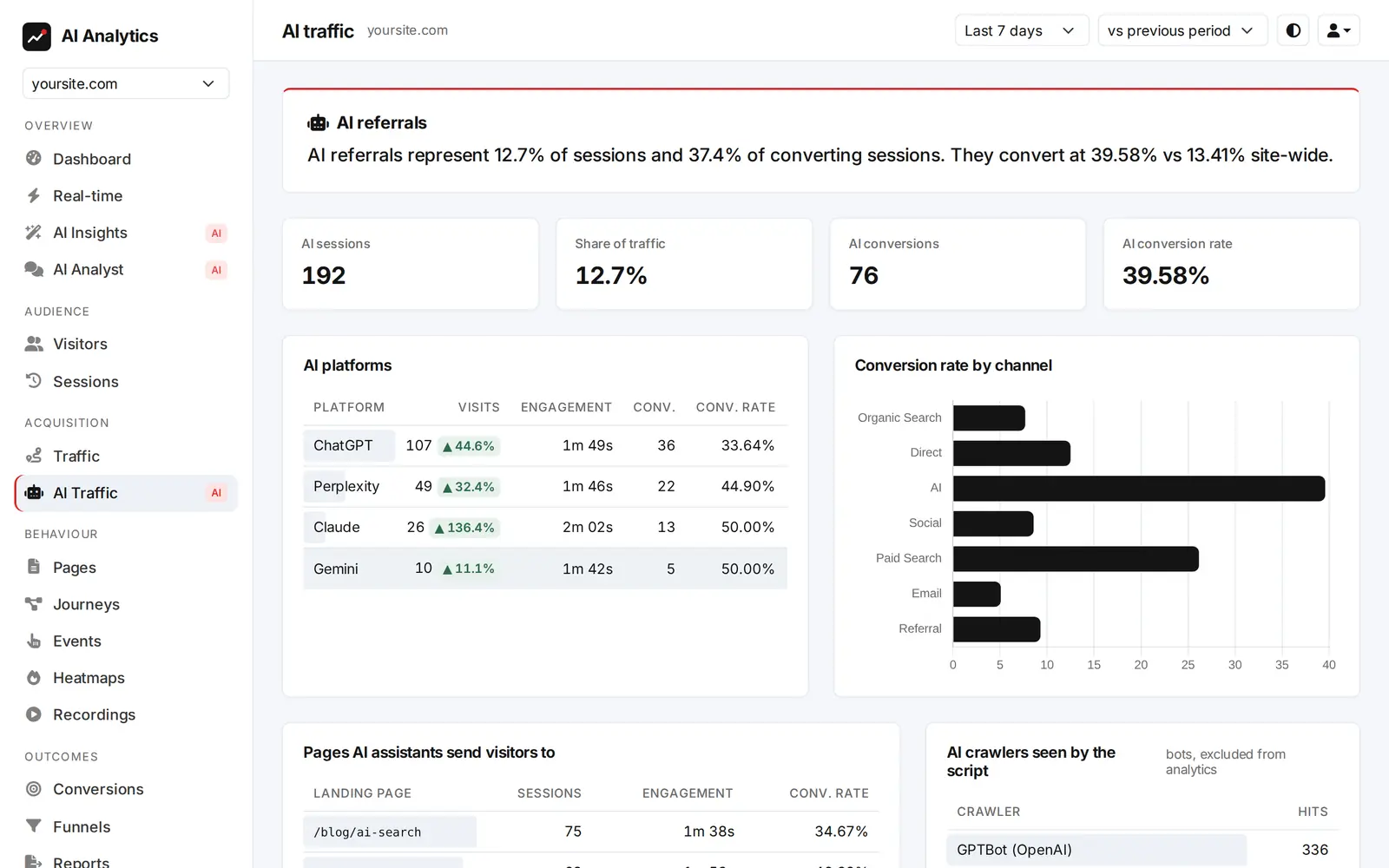
ChatGPT is a traffic source now. Count it.

Visitors from ChatGPT, Claude, Perplexity, Gemini and Copilot get their own channel, with conversion rates you can compare with search. Add your server logs, and you'll also see which pages AI crawlers read before they quote you.

Learn about AI traffic analytics
AI assistants · last 30 dayssessions
  • ChatGPT2,418
  • Perplexity921
  • Claude577
  • Gemini402
  • Copilot219
4.8%AI visitor conversion · vs 2.6% search
31,940AI crawler requests from server logs
§ 07 Privacy

Built so you have less to disclose.

The safest data is data you never collected. The tracker is designed around what it leaves out.

Never stored

IP addresses

Used in memory for country lookup and rate limiting, then discarded.

Never collected

What people type

Form values, passwords and messages are masked in the browser and again on our server.

Never required

Cookies

Cookie-free mode counts visitors with a hash whose salt changes daily and is then deleted.

Always honoured

Do Not Track & GPC

Respected by default and checked by our server on every request, whatever the script version.

Never shared

Identifiers

Visitor IDs are hashed per site, so nobody can follow a person across websites.

Never sent to AI

Raw visitor data

The AI sees aggregated metrics and cleaned-up page paths. Never IPs or visitor IDs.

Read exactly what we collect

§ 08 Pricing

Priced like a tool, works like a hire.

Start with 30 days of everything. When the trial ends, choose the plan that fits. Yearly billing gives you two months free.

Every plan starts with a 30-day trial of everything. No card needed.

Starter

$19 $190 / month/ year
or $190 billed yearlyThat's $15.83 a month

AI insights and reports for growing sites.

  • Websites3
  • Events per month100k
  • Data retention90 days
  • AI analyst questions100/mo
  • Team members3
  • AI briefings & insights✓
  • Heatmaps✓
  • Session replay—
  • API access—
Start free trial

Agency

$149 $1,490 / month/ year
or $1,490 billed yearlyThat's $124.17 a month

Many sites, long retention, team collaboration.

  • Websites50
  • Events per month5M
  • Data retention2 yr
  • AI analyst questions5,000/mo
  • Team membersUnlimited
  • AI briefings & insights✓
  • Heatmaps✓
  • Session replay✓
  • API access✓
Start free trial

Need the details? Compare plans and payment options.

§ 09 Questions

Asked often.

How is this different from Google Analytics or Matomo?

Those tools are excellent at collecting data and drawing charts, and they leave the interpretation to you. GoTrace collects the same kind of data, then runs statistical tests on it every day and writes up what changed, why, and what to do. You can still open every report yourself. You just don't have to start there.

Do I need a cookie banner?

In cookie-free mode the tracker stores nothing on the visitor's device and keeps no IP addresses, which is why many site owners use it without a consent banner. Whether you need one depends on where you and your visitors are, and on the other tools on your site, so please check your own obligations. If you do need consent, consent mode sends nothing until the visitor agrees.

Will the script slow my website down?

No. It's about 4 KB gzipped, loads with defer after your page, and sends data in small batches in the background. It never blocks rendering.

What does the AI actually see?

Aggregated numbers, such as sessions per source or conversion rate per device, and short, sanitised strings like page paths and titles. It never receives IP addresses, visitor IDs or raw sessions. Every number it writes is checked against the evidence, and website text is passed as data so a page can't give it instructions.

Can you show AI crawlers like GPTBot and ClaudeBot?

Most AI crawlers don't run JavaScript, so no browser-based tool sees them. Upload your web server's access log, or send it hourly with one cron line, and we count only the AI crawlers in it. Visitor IP addresses in the log are never stored.

Is session replay safe for my visitors?

Typed values are masked in the browser and masked again on our server, so they can't be stored even by a modified script. Visual replay is off until you enable it, hides all page text by default, and skips any element you mark with data-aia-block.

What happens when the trial ends?

You keep every feature for the whole trial. When it ends, the dashboard asks you to choose a plan. Your data is kept for a grace period while you decide.

Tomorrow morning, read your first brief.

Add one line to your site tonight. By morning, there's something to read.

Start your free trial